AI in SEO: what AI can do for a small business website, and where it falls short
Drafting, analysis, technical fixes: AI speeds up search engine optimization once you give it your data. See where it falls short and how to put it to work.
By Godefroy de Compreignac , Founder of Bibop
November 21, 2026 11 min read
Key takeaways
- AI drafts, analyzes and suggests SEO fixes in minutes. It saves time on almost every SEO task.
- Google doesn’t penalize a page because AI wrote it. It penalizes pages mass-produced with nothing for the reader, however they were written.
- Without your data, AI makes up the numbers it lacks: search volumes, rankings, visits per page.
- An assistant like ChatGPT publishes nothing on your site and never checks whether its advice worked. Someone still has to pick the work, put it live and measure the result.
- Give AI what only you know (your numbers, your customers, your opinion): Google and AI answers find that nowhere else.
Yes, AI is used for SEO. A small business can put it to work today to draft a page, rewrite a title, analyze a Search Console export or write structured data in minutes. Google doesn’t penalize a page because AI wrote it. AI’s limits lie elsewhere. An assistant like ChatGPT knows neither your rankings nor your traffic until you hand them over, it makes up the numbers it lacks, and it can’t touch your website. This post covers what AI does well in SEO, where it falls short, and how to use it without hurting your site.
Is AI used for SEO?
It already is, on most pages that rank. In July 2025, Ahrefs, which makes SEO tools, analyzed 600,000 pages ranking in Google’s top 20 for 100,000 searches. Its detector found AI-written text in 86.5% of them. Only 13.5% were written entirely by hand, and 4.6% entirely by AI. Ahrefs found almost no link between a page’s share of AI text and its ranking: the correlation it measured was 0.011. AI detectors make mistakes, so read these figures as orders of magnitude.
So Google ranks pages on what they give the reader, whatever their share of AI text. The useful question for you is which tasks AI speeds up, and which ones can cost you rankings.
SEO tasks where AI saves you time
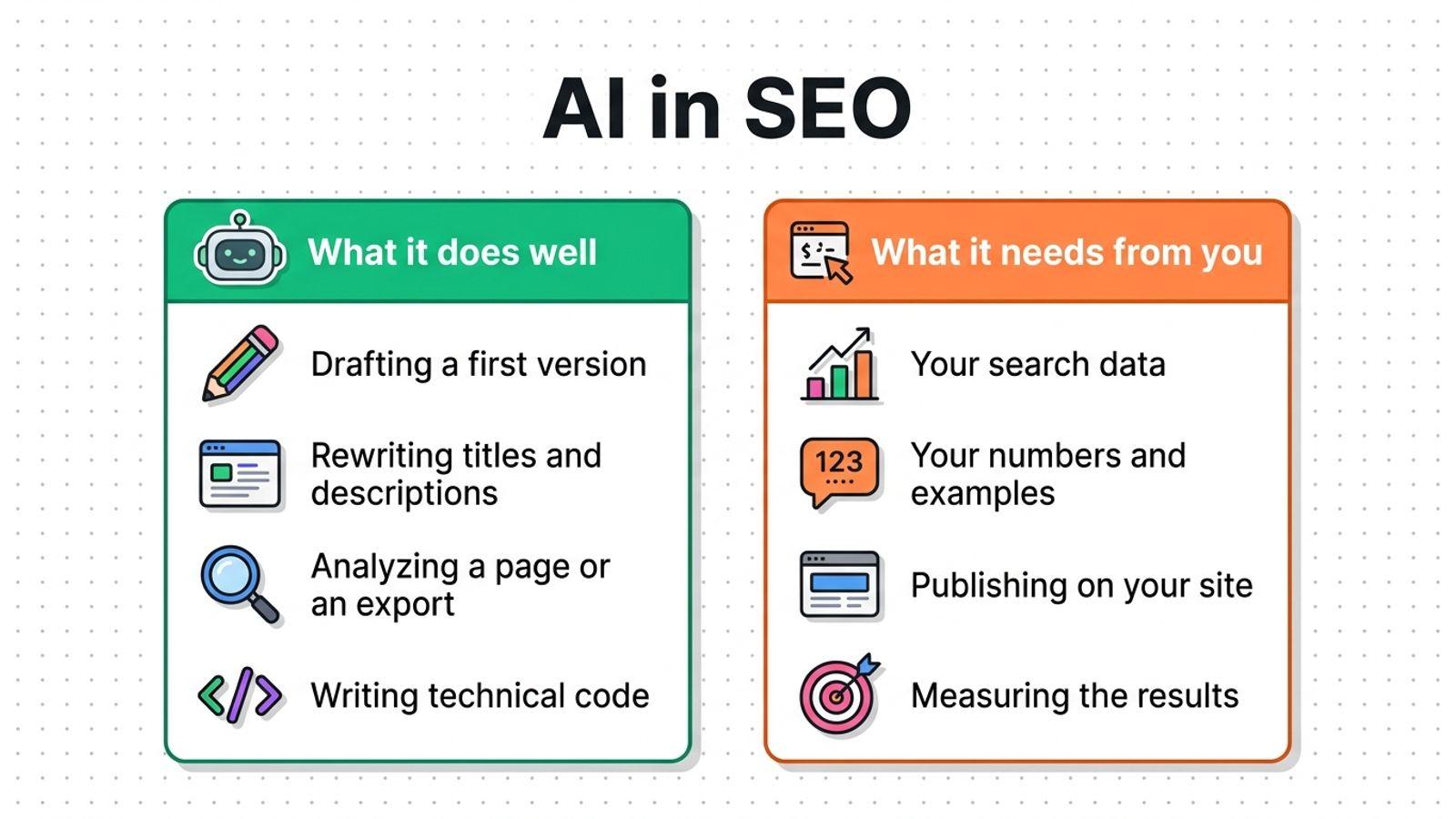
Writing and rewriting
AI quickly drafts a blog post, an answer to a common question or a new version of an aging page. It shines on short texts that take many attempts: ten possible titles for a page, a 150-character meta description, a summary.
At Lonestone, the agency run by Bibop’s creator, the title of a services page on its French site was rewritten to open with “Logiciel sur mesure” (custom software), the words customers actually type. AI finds that kind of rewrite in seconds, as long as you tell it which words your customers type.
Analyzing
Paste a page’s text into an assistant along with the question the page should answer: it tells you what’s missing, what repeats and what stays vague. Give it a Search Console export: it sorts searches by page, spots the ones where you show up often without getting clicks and groups keywords by topic. That work used to take half a day in a spreadsheet.
Fixing technical issues
AI usually writes valid structured data for a page (the markup that describes a business, an article or a FAQ to Google), a robots.txt file or a list of redirects. It also explains a Search Console error in plain English and suggests the fix. Someone who runs their site without a developer saves the most time here.
| Task | What AI does on its own | What it needs from you |
|---|---|---|
| Write a blog post | A full first draft in minutes | The topic, your examples, your numbers, a review |
| Rewrite a title and description | Ten options of the right length | The words your customers actually type |
| Analyze a page | A list of what’s missing and what’s vague | The question the page should answer |
| Analyze your searches | Sorting and grouping an export | Your Search Console export |
| Write structured data | Valid code, ready to paste | Publishing it and checking it |
| Explain a technical error | The diagnosis and a suggested fix | Access to the site to apply it |
Where AI falls short without your data or access to your site
It makes up the numbers it lacks
Ask an assistant for a keyword’s search volume or your site’s ranking and it answers confidently, with no source. Google says so in its guidance on AI-generated content: a generative model doesn’t retrieve facts, it predicts the most likely words. A search volume, a ranking or a price comes from a measurement tool or from your own data, never from a model’s memory.
It doesn’t know where you stand
An assistant has no idea which searches you’re gaining on, which ones you’re losing and which pages no longer get visits. Third-party apps such as Windsor.ai or Supermetrics connect it to your Search Console, read-only. It can then read your numbers, but you still choose which page to fix first.
A bad choice is expensive. Lonestone worked with an SEO agency for 18 months, for €50,000 in total. Lonestone picked the wrong strategy with the agency. The agency then published dozens of blog posts that did nothing for Lonestone. AI writing without your data runs the same risk, only faster.
It can’t touch your website
An assistant like ChatGPT or Claude hands you text or a snippet of code. Someone still has to paste it into the right field on your site, publish it and check that nothing broke. Perfect structured data that stays in a chat changes nothing for Google. Many business owners get stuck at publishing: the advice piles up and the site stays the same.
It doesn’t measure what worked
An assistant won’t come back six weeks later to check whether the rewritten page gained ground. Without measurement, you don’t know which change to repeat elsewhere and which to undo. A site moves up in Google through small, measured tests, which the assistant doesn’t keep track of from one month to the next.
It writes what everyone has already written
A model writes from what already exists online. Left to itself, it produces the average post on the topic, the one twenty sites have already published. Google recommends the opposite in its guide to the AI features of its search engine: original content, with a viewpoint of its own or firsthand experience. Only you can give AI your numbers, your customer stories and your opinions.
Does Google penalize AI-written content?
No. Google judges a page on what it gives the reader, whatever tool wrote it. Its guidance on AI-generated content allows it on one condition: follow Google Search Essentials and its spam policies. Google asks you to fact-check and review every generated piece before publishing, titles, meta descriptions and image alt text included.
Google does penalize pages mass-produced for the sole purpose of ranking. Its scaled content abuse policy dates from March 2024 and targets those pages whether AI, a person or a script wrote them. A blog publishing thirty posts a month with no review takes that risk, as we explain when looking at AI autoblogging tools.
AI is also changing how customers find you
AI doesn’t only help you do SEO. It also answers your customers: ChatGPT, Perplexity, Google’s AI Overviews and AI Mode give a written answer with a few cited sources. So your site has every reason to be among those sources, on top of ranking well on Google.
Google writes in its guide that its AI features rely on its usual ranking systems. Classic SEO remains the foundation: an indexed, fast page that clearly answers a question. Google also states that it doesn’t use the llms.txt file and that no special markup is needed. To go further, see how Google picks the sources of its AI Overviews and how to get cited by ChatGPT and Perplexity.
How to use AI for your website’s SEO
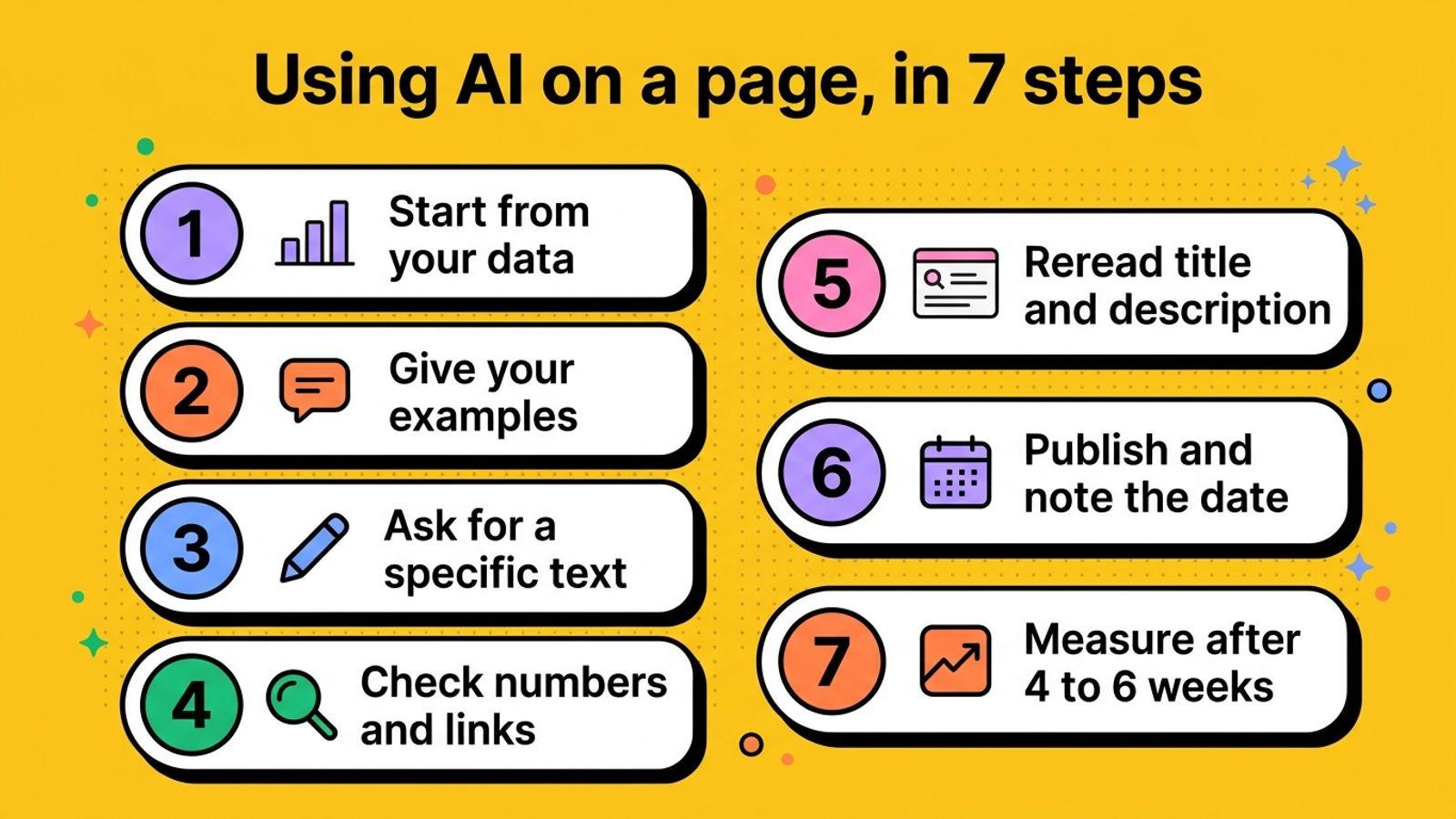
Follow these steps, in this order, for each page you hand to AI:
- Start from your data. Export the last three months of searches and pages from Search Console, then pick a page that shows up often without getting clicks, or one that’s losing visits.
- Give AI what only you know: a customer example, a price, a turnaround time, a common mistake you see your customers make, your opinion on the topic.
- Ask for a specific text, with the question to answer, the intended reader and the expected length.
- Check every number, every name and every link. Delete anything you can’t confirm.
- Reread the title, the meta description and the first sentence: AI often opens the text by repeating the title word for word.
- Publish, then note the date and the page you changed.
- After four to six weeks, compare the page’s impressions, clicks and ranking in Search Console before and after the change.
You’ll spend most of the time checking and publishing. Then you’ll start over every month on other pages.
Assistant, SEO tool, generator or agent: four ways to use AI
“AI for SEO” covers very different products. The difference lies in the data they read and their access to your site.
| Product | Examples | Price per month | Who picks the work | Publishes on your site |
|---|---|---|---|---|
| General assistant | ChatGPT, Claude | About $20 | You, one question at a time | No |
| SEO tool with AI | Semrush, Ahrefs | $30 to $200 | You, from its data | No |
| Blog post generator | Outrank, SEObot | $19 to $99 | The tool, for blog topics | The blog only |
| SEO agent | Bibop | €90 excl. VAT$100 excl. VAT | The agent, from your data | Yes, across the whole site |
An assistant suits someone who knows SEO and knows what to ask. An SEO tool provides the data but leaves the decisions and the publishing to you. A generator fills a blog without touching the pages that sell. An agent picks the work from your data, publishes it and measures its effect. We compare ten AI SEO tools for small businesses one by one.
Bibop connects AI to your data and your website
Bibop is a visibility agent for Google and AI answers. It runs on models from Anthropic, OpenAI and Google, and gives them what they lack: your Search Console, your rankings on 500 searches, how AI engines answer 50 of your customers’ questions, and access to your site. It picks the month’s work, writes new pages, updates old ones, fixes technical issues and measures the effect of every change. You can approve each publication and undo any change in one click.
Bibop updated Lonestone’s existing pages: between April and July 2026, the site’s average ranking for the French search “llm définition” went from 12th to 4th. See what Bibop does day to day, compare Bibop and ChatGPT criterion by criterion, or check pricing and guarantees: €90 excl. VAT a month$100 excl. VAT a month, no commitment, and your first month refunded if you ask within 30 days.
Your questions about AI and SEO.
Which AI should I use for SEO?
It depends on the work you want to hand off. ChatGPT or Claude write and analyze what you give them. Semrush or Ahrefs provide search data. An SEO agent like Bibop reads your data, picks the work and publishes it on your site.
Can ChatGPT do my website’s SEO?
ChatGPT can write your copy, suggest titles and explain technical errors. It doesn’t track your rankings, publishes nothing on your site and never checks whether its advice worked. Someone has to pick the work, put it live and check the result.
Is SEO still relevant in 2026?
Yes. Google’s AI Overviews and AI Mode rely on its usual ranking systems, and ChatGPT cites pages it finds by searching the web. A page that ranks well, answers clearly and stays up to date has a better chance of being cited in those answers.
Do I have to disclose that AI wrote a text?
Google doesn’t require it. Its guidance suggests explaining how content was produced, automation included, when that helps the reader. For your rankings, reviewing the text and checking the facts matter far more.


